AutoWiki
By Factory - June 17, 2026 - 3 minute read
Product
Share
Documentation should be a build artifact, not a side project. AutoWiki analyzes your codebase and generates structured, browsable documentation that stays current on every push.
By Factory - June 17, 2026 - 3 minute read
Product
Share
Documentation should be a build artifact, not a side project. AutoWiki analyzes your codebase and generates structured, browsable documentation that stays current on every push.
AutoWiki generates a living wiki for each repository in your organization, automating the documentation process from your software factory. It is built from source, organized around how the codebase works, and refreshed when the repo changes, so engineers and Droids share the same foundation to navigate a codebase and plan the next change.
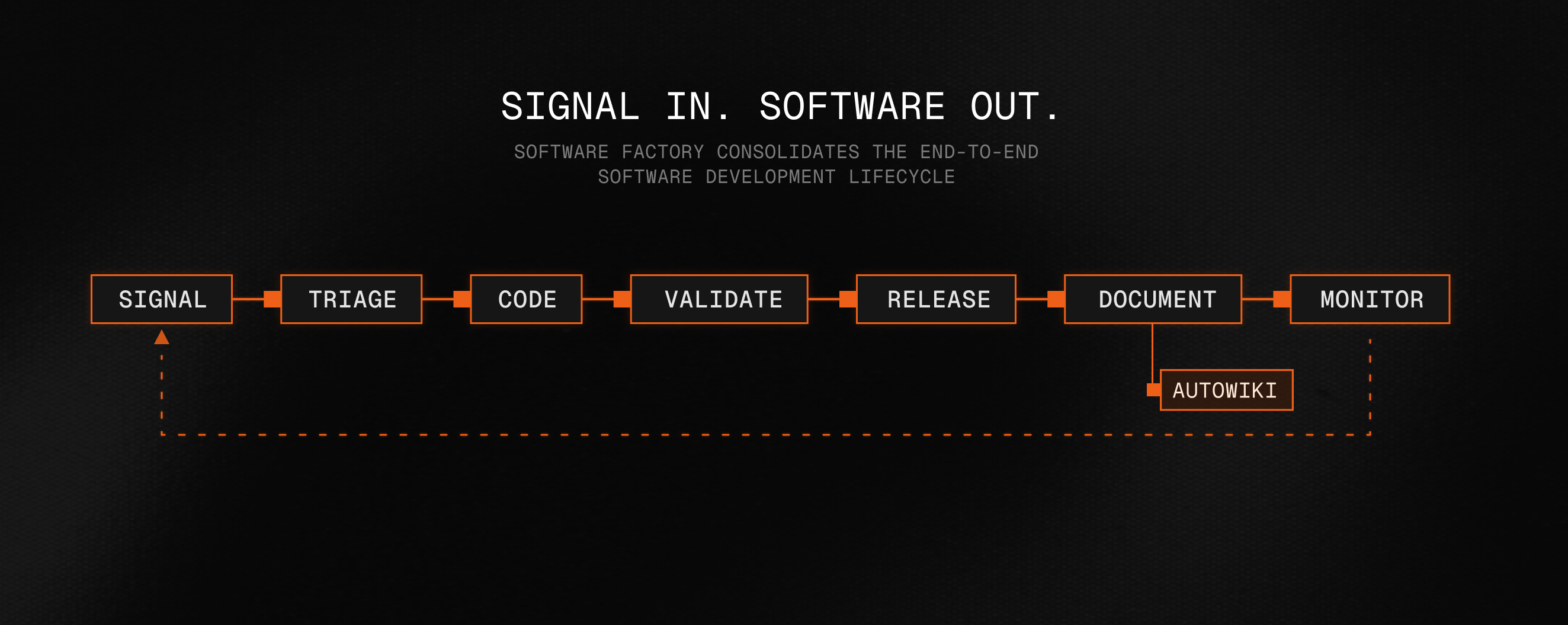
Every codebase has a learning curve. AutoWiki accelerates onboarding by giving engineers up-to-date documentation from day one. New teammates can understand the architecture, key flows, how components fit together, and where to make their first change. Droid can also use that same documentation to find the right context faster.
Internally at Factory, AutoWiki saves engineers critical hours during codebase onboarding by turning each repository into a navigable system map.
AutoWiki analyzes your repository and generates structured documentation, organized into sections that cover different facets of the codebase.
A high-level map of the system: the major components, how they are composed, and how data and control flow between them. Includes diagrams that trace requests from ingress through the application tier to persistence.
Note: Structure adapts per repository.
To show what AutoWiki can produce from real codebases, we generated example wikis for 100 popular open-source repositories. Each one is source-grounded, generated from public repository content, and intended as a preview of the documentation AutoWiki can create before a team reviews, customizes, or publishes it.
“We’re always encouraged when companies invest in tools that help developers engage with open source. It’s exciting to see the AI ecosystem experimenting with new ways to make that easier.”
Logan Smith, Senior Director of Business Development, Grafana
AutoWiki generation is a multi-phase, multi-agent process. Large codebases are hard to document well with a single linear pass: the important context is spread across entry points, APIs, services, configuration, and history. AutoWiki splits the work across specialized agents, each scoped to one facet of the repository with just enough context to produce a good page.
AutoWiki surveys the repository, plans the wiki structure, generates pages in dependency order, and then publishes the finished artifacts across the surfaces your team uses.
Two-pass analysis: structural scan (README, package manifests, CI config, entry points) followed by a deeper semantic scan (routes, API endpoints, service classes, database schemas, feature flags).
AutoWiki can turn the repository evidence it collected into a narrated codebase walkthrough: a video about the system itself, not a recap of the docs.
Source paths, metrics, screenshots, and generated pages become evidence.
Documentation that falls behind the code stops being useful. AutoWiki provides two mechanisms to keep it in sync.
On-demand generation: Run /wiki in a Droid session to regenerate from the current state of the repository.
Automated refresh: Run /install-wiki to create a CI workflow (GitHub Actions or GitLab CI) that refreshes the wiki on every push to the default branch. With this in place, documentation becomes a build artifact: produced automatically, versioned alongside the code, and never out of date.
Both paths use incremental generation. The first run analyzes the entire codebase; subsequent runs diff against the commit hash stored in the previous wiki's metadata and only regenerate affected pages. Unchanged pages are carried forward verbatim.
A wiki is only as useful as the surfaces it reaches. Every Factory-generated wiki ships to four surfaces, automatically.
Generated wikis are uploaded to Factory's cloud and browsable at app.factory.ai/wiki.
Explore generated AutoWikis for real open-source repositories in the web viewer.
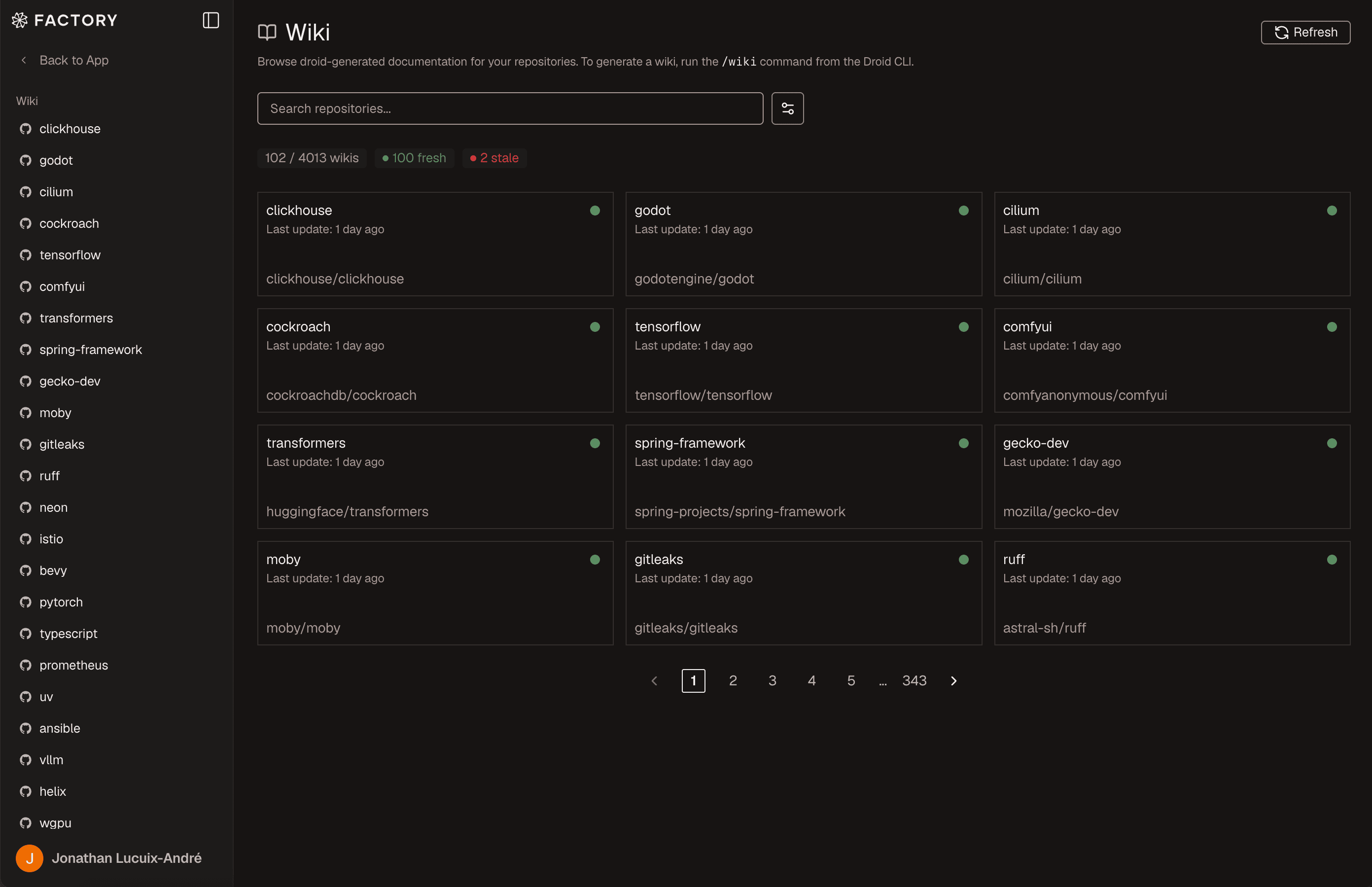
Search across every page of a wiki and jump straight to the matching snippet.
Every run is versioned by commit, branch, and timestamp. Compare any two side by side.
Regenerate wikis for many repositories in parallel from a remote computer.
Narrated MP4 walkthroughs with captions, embedded on each wiki overview page.
Explore generated AutoWikis for real open-source repositories in the web viewer.
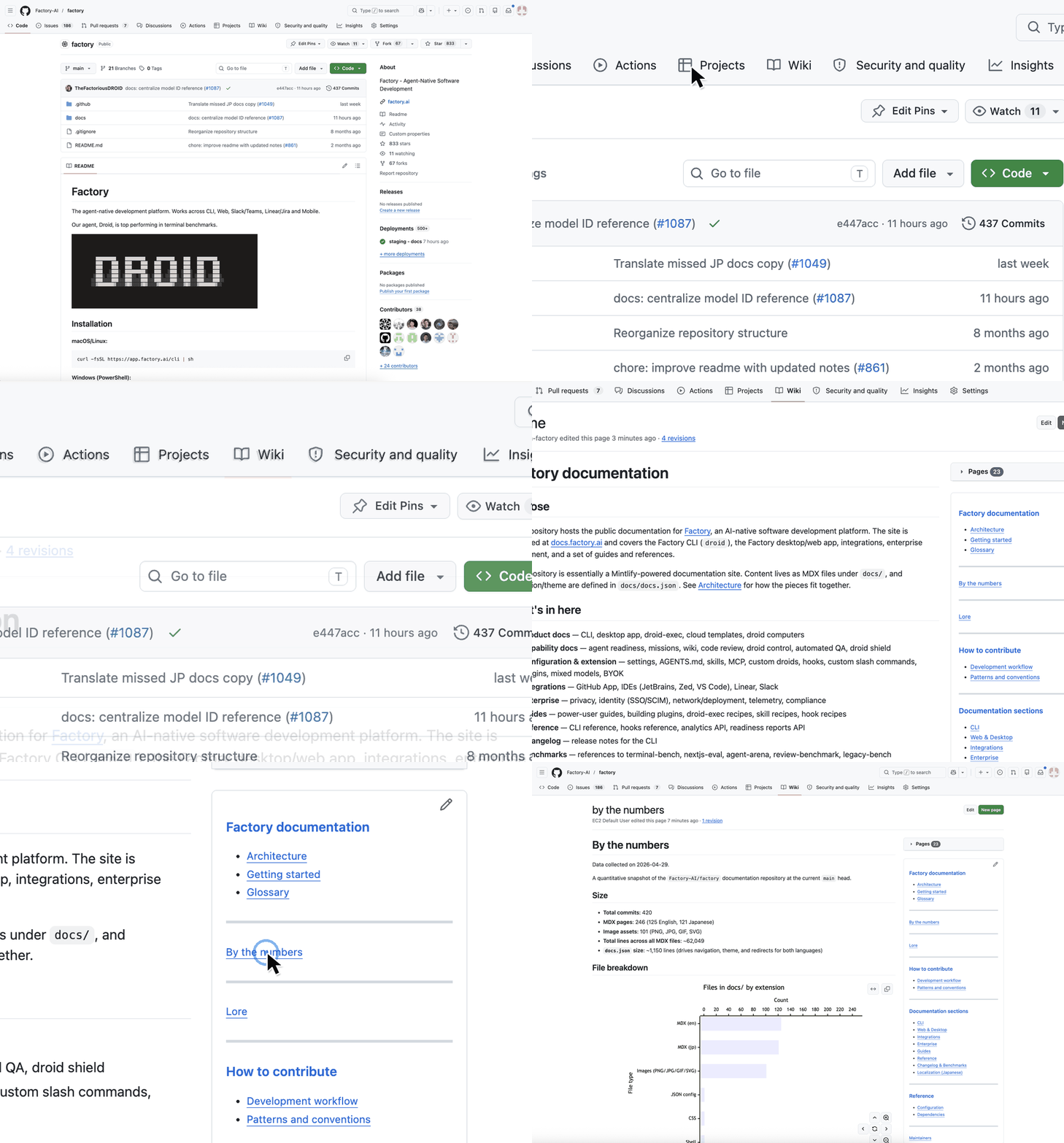
For GitHub-hosted repositories, AutoWiki automatically syncs the generated content to the repository's built-in wiki tab. Your team can browse the documentation directly from the repo page, without visiting the Factory app.
Because every wiki version is preserved and indexed, Droid sessions can browse and search across all your wikis natively. Whatever your team reads to navigate the codebase, Droid reads too.
Every wiki is committed to your repo under droid-wiki/, versioned alongside the code it documents. Doc changes show up in PR diffs, blame works on every page, and the wiki travels with the repo wherever it goes: forks, mirrors, offline clones.
When documentation is a build artifact rather than a side project, it stops decaying. New engineers, returning teammates, and the agents you trust with your codebase all get the same up-to-date map of the system: written once, refreshed automatically, and embedded everywhere it's needed.
Read the full AutoWiki documentation to learn more.
AutoWiki is available to all plans today. Add automated, always-current documentation to your software factory.
Start building