Product
Engineering
New
Incident Response
By Factory - July 10, 2026 - 2 minute read -
Share
Droid turns Slack alerts into autonomous RCA sessions, builds incident memory, and helps on-call engineers move from signal to fix faster.
Product
Engineering
New
By Factory - July 10, 2026 - 2 minute read -
Share
Droid turns Slack alerts into autonomous RCA sessions, builds incident memory, and helps on-call engineers move from signal to fix faster.
On-call alerts have always been stomach-dropping moments. Someone's dinner, weekend, or launch review gets hijacked for an emergency sprint, often only to find out the alert was noise.
Factory Incident Response changes that pattern. Connect Droid to a Slack channel that receives alerts from Sentry, Rootly, Axiom, Datadog, or another observability system. When an alert arrives, Droid starts a session on a Droid computer, investigates the issue, triages the alert, and prepares a fix if necessary.
Incident Response uses your observability tooling and adapts to your team's process. It also builds long-term memory through a persistent runbook, so every investigation improves the next response.
In preview, Incident Response has saved hundreds of hours for on-call engineers across customer environments and Factory's own production systems.
If an alert shows a usage spike causing duplicate requests to the backend, Droid can investigate logs, identify the backend logic causing the issue, and report back in Slack. From there, you can follow up with Droid in the same thread and stop the duplicate request behavior instead of pulling context into a cold session while minutes are ticking by.
Many companies also have alert channels with noisy or duplicate alerts. Incident Response can help filter which alerts point to a real issue without burdening engineers with wasted time. As models improve, teams will be able to give Droid access to control monitors directly, silence useless ones, and create new ones when coverage is missing.
To set up Incident Response, invite Droid to your production alerts channel. Then open Factory, go to the Software Factory page, open the Automations tab, and select the Incident Response template.
Choose the channels to monitor and the Droid computer that should run the sessions. Make sure that computer has the right repositories, environment, and observability access for the systems it will investigate.
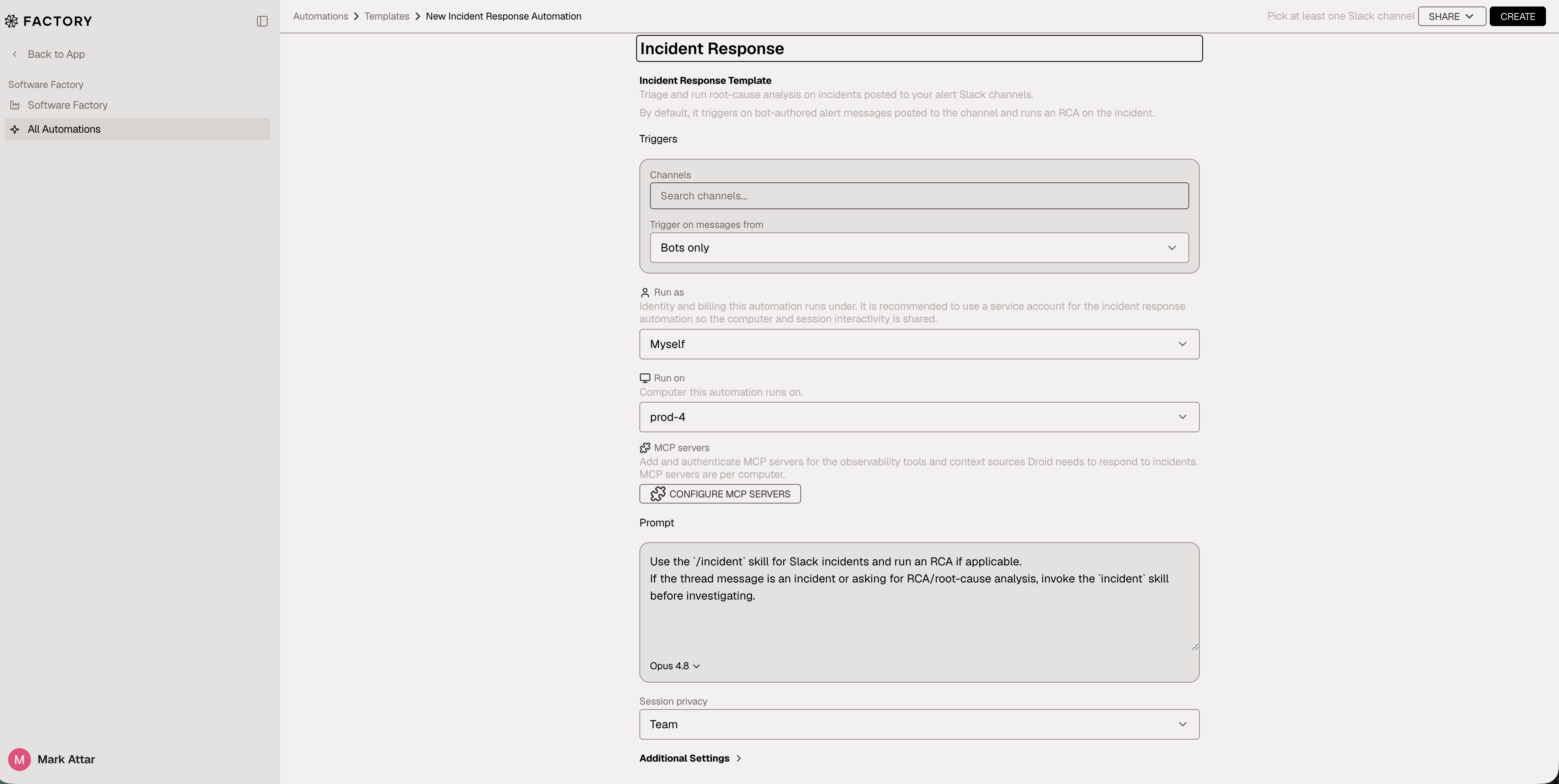
You can set session visibility to a specific user or to the whole organization. Sessions can also run through a user account or a service account. Once the automation is active, Droid responds to alerting messages that arrive in the channel.
Over time, Droid learns from incidents and stores information in a persistent runbook on the computer so it can improve its own response. Great engineering organizations collect runbooks, identify noisy alerts, and remember past root causes. Droid does the same.
Droid collects these learnings in files so that it can diagnose issues accurately, respond faster, and ignore noise.
Incident Response is configurable to your team's needs. Customize the instructions to encode your incident response playbook and give Droid additional context.
You can connect observability tools and other sources of context to Incident Response so it works within your production environment. During setup, or later in a session, connect MCPs to the computer that the automation runs on. You can also clone repositories, install CLIs, and add any other tooling you want to the Droid computer because it is a persistent machine.
Read the Incident Response documentation for more details on the feature and MCP setup.
Autonomy made shipping code fast. It also made breaking it fast. Engineering teams need to keep pace, before alerts and bugs become the bottleneck.
If the software factory is the assembly line, Incident Response is the supervisor watching for breakage in the machine.
start building
Start building