The Factory Desktop App
By Factory - April 8, 2026 - 3 minute read
Product
Share
A native interface for Droids that work across every part of your software business. Available today on macOS and Windows.
By Factory - April 8, 2026 - 3 minute read
Product
Share
A native interface for Droids that work across every part of your software business. Available today on macOS and Windows.
Today we're releasing the Factory desktop app. A native interface for Droids that work across every part of your software business.
Available today on macOS and Windows.
The desktop app is built for running multiple Droids at once. Each session lives in the sidebar with its own context, progress, and history. Start a Droid on a feature build, kick off another on a migration, and check in on either without losing your place.
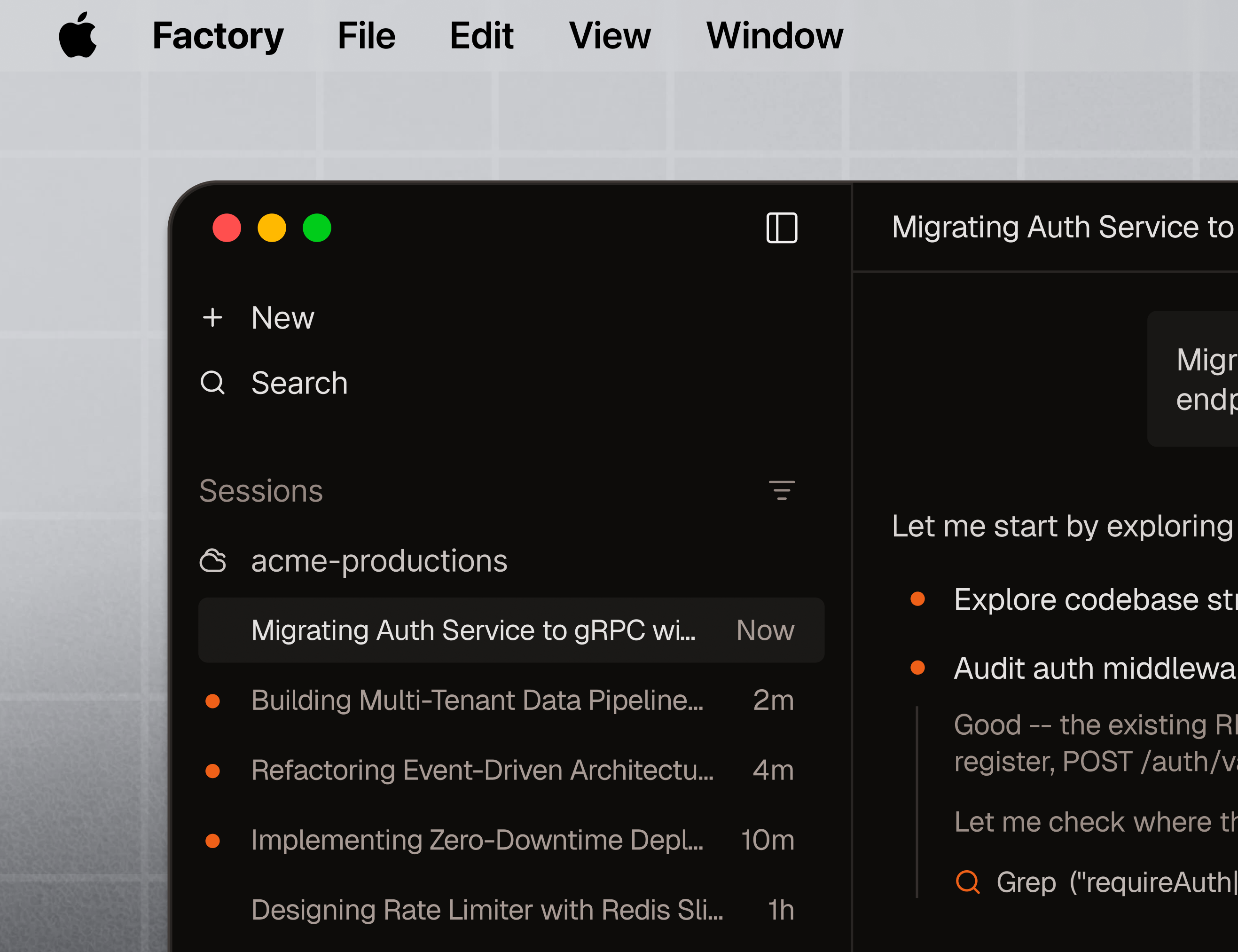
Your Droid doesn't start from zero every morning. It picks up where it left off: installed packages, cloned repos, credentials, running services. Every Droid gets a persistent machine it can call home.
Cloud Computers are managed machines provisioned from the Factory app: create, wake, sleep, checkpoint, restore. Persistent storage, SSH access, instant resume.
BYO Machine lets you turn your own hardware into a Droid Computer with droid computer register. A workstation, an on-prem server, a GPU rig. One command and your Droid has a home on that machine.
Local model support. Register a machine with a GPU and your Droid can run entirely on local models. Factory's BYOK system connects to Ollama, vLLM, or any compatible endpoint running on the machine. No data leaves your network. For teams in regulated industries where code cannot leave the premises, Factory has deployed fully air-gapped at some of the world's largest financial, healthcare, and government institutions.
The desktop app gives you an interface to manage all of these: status, logs, configuration, in one place.
Droids in the desktop app control other applications. They navigate VS Code, interact with browser tabs, read documents, operate terminals, and work with whatever is running on your desktop.
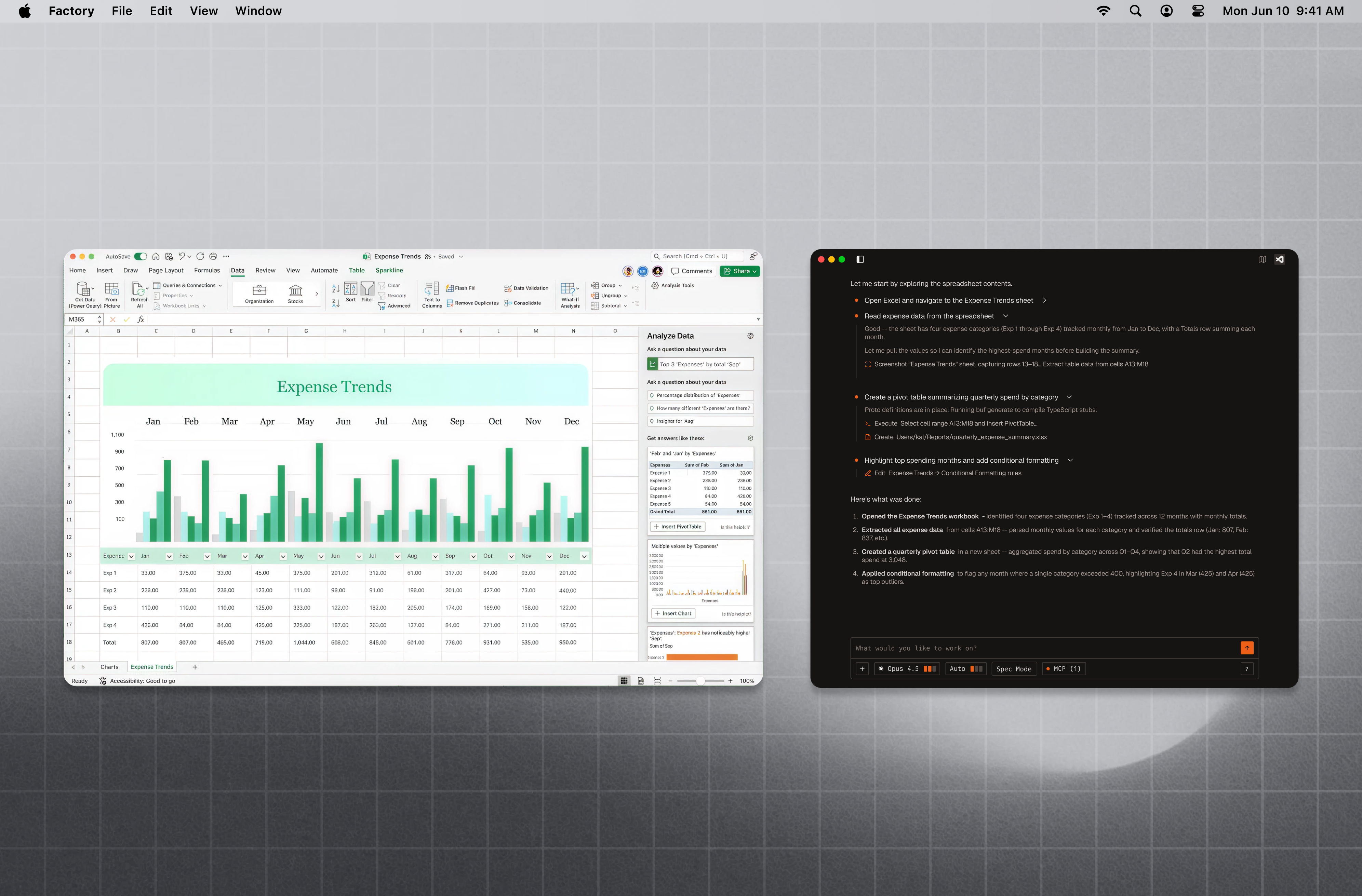
A Droid can open your staging environment in a browser, click through a user flow, and report what broke. It can switch to VS Code, run an extension command, read the output, and act on it. It can pull data from a spreadsheet, draft a sales deck, or update a design file.
This is not text generation in a sandbox. The Droid operates your computer the way you would.
VS Code integration. Connect to a VS Code server, local or remote, directly from the desktop app. Browse files, use the terminal, edit code, and run extensions, all linked to your Droid's session.
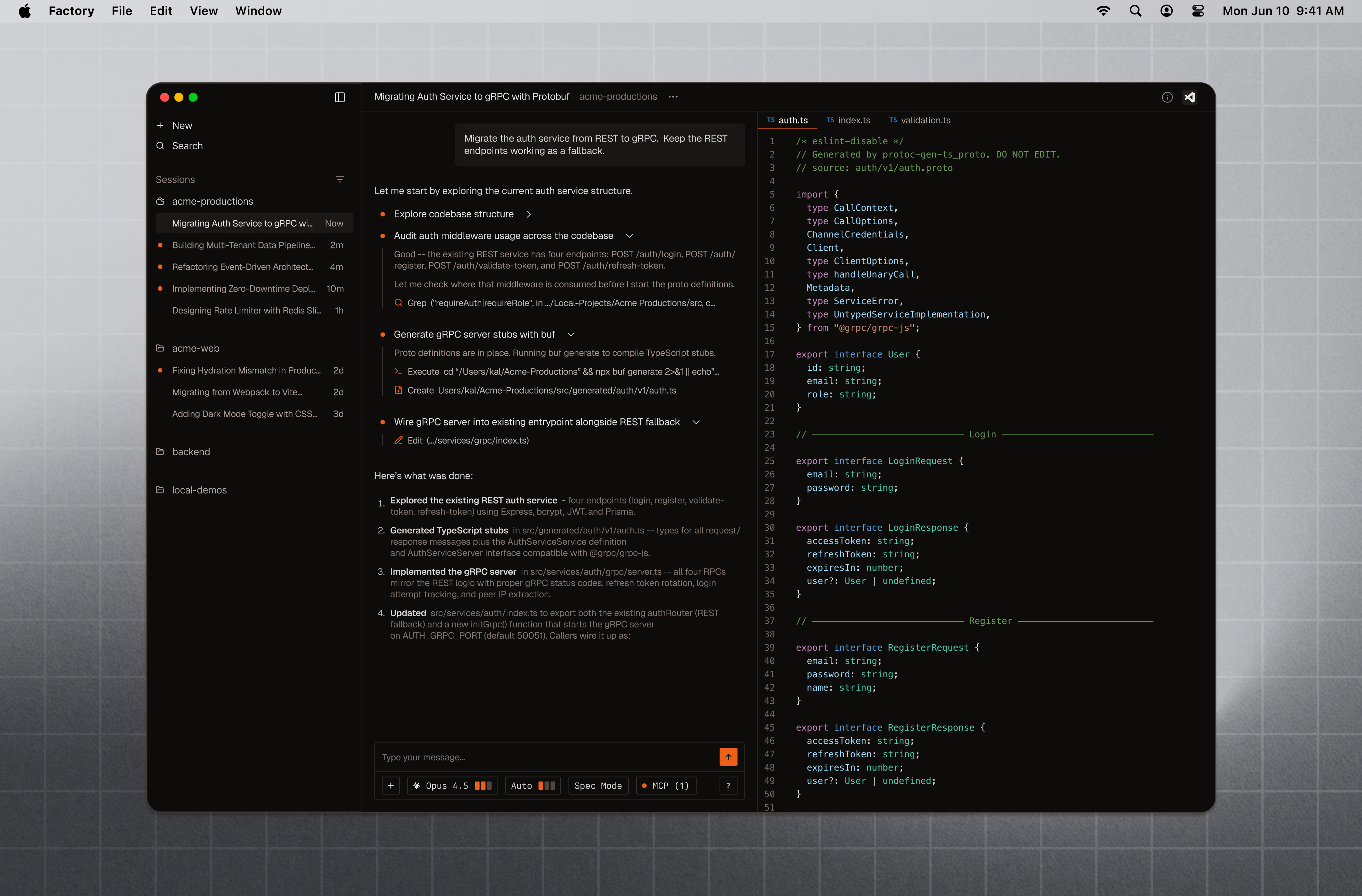
AI-native visualization. Droids decide how to present their work. They render Mermaid diagrams, charts, tables, dashboards, and metrics directly in the conversation. The UI is dynamic: a Droid analyzing a performance regression might produce a flame chart, while one reviewing a migration shows a dependency graph. No templates, no configuration. The Droid picks the right format.
MCP, skills, hooks, and plugins. The full plugin ecosystem works in the desktop app. Skills are portable across every Factory surface. Check them into your repo and the whole team has access.
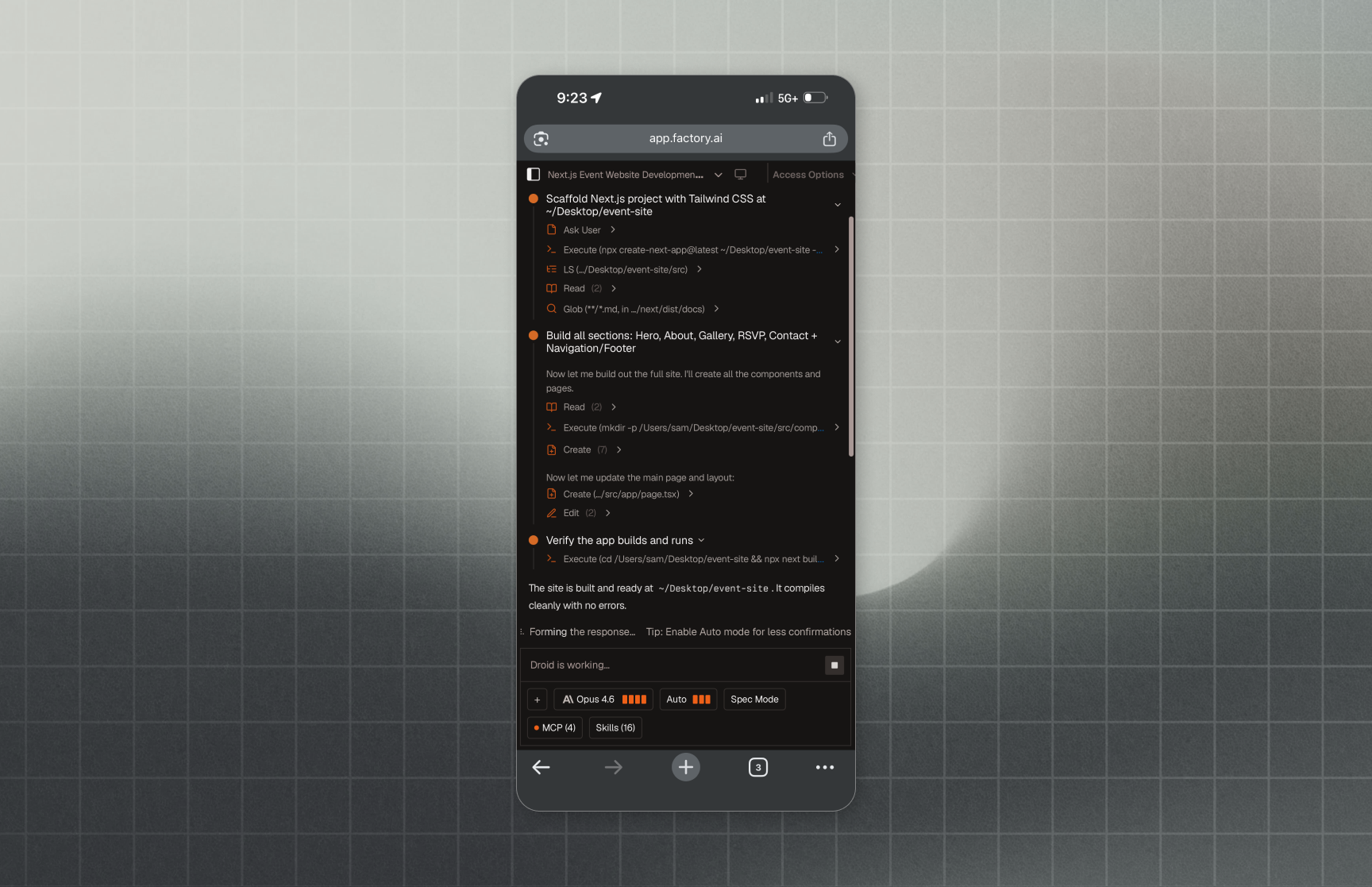
Mobile. The full Factory experience runs on your phone and tablet. Start a Droid on your laptop, check its progress from your phone while you're away from your desk, review diffs on a tablet, or kick off a new session from anywhere. Your sessions, settings, and skills are all there.
Enterprise teams adopt Droid 2x faster when both CLI and desktop are available. Users who work across both interfaces run 4.6x more sessions than CLI-only users. They're not splitting time. They're doing more total work.
The desktop app opens Factory to people who don't spend their day in a terminal. Designers, product managers, data scientists, account executives. When your AEs are using Droids to prep deal summaries and your PMs are drafting specs, the value proposition stops being about engineering productivity and starts being about organizational leverage.
Available today on macOS and Windows across all Factory plans. Usage is included in existing subscriptions. The desktop app inherits the same security model as the CLI: commands run locally, risky operations require approval, and all data is encrypted in transit and at rest.
If you already use the CLI or IDE extension, your sessions, settings, and skills transfer automatically.
Read the desktop app docs to get started, or jump straight to the quickstart.
The desktop app gives us a surface to build things that don't fit in a terminal or a browser tab. It's the foundation, and we expect things to move quickly from here.
Start building